
Accuracy & Speed Test: Group Buy Tools vs Originals
accuracy speed test group buy tools vs originals
Can a shared access option really match the originals when seconds and precise data change campaign outcomes?
Small teams often face high pricing from top vendors and must decide if shared services are worth the trade-offs.
In this piece we test real-world performance: tool speed, data consistency, latency, and everyday usability for keyword research, backlink checks, and SERP audits.
We contrast promises of dramatic savings and broad tools access with vendor claims about data quality and stability. The goal is practical: show who benefits and who should be cautious.
We also spotlight Toolsurf as a cloud-based option that advertises instant access, 100% uptime, 24/7 support, and plans from $3/month or single-tool trials for $1/day. Expect a fair, timed comparison that highlights risks like account limits, potential data exposure, and impact on workflows.
Key Takeaways
- Shared access can cut costs but may introduce inconsistent data and access friction.
- Speed and data quality directly affect outreach timing and ROI-sensitive tasks.
- Toolsurf positions itself as a reliable cloud option with low-cost trials and tiers.
- Legal and security risks mean some teams should prefer originals or official plans.
- We test using identical queries and time controls to give a clear, practical comparison.
Search intent and what “group buy SEO accuracy” really means today
Decision-makers want to know if lower-cost shared access gives them reliable data for real campaigns.
The primary intent behind searches for seo group buy setups is practical: can a cheaper access model produce numbers you can trust when planning and reporting?
Accuracy here means consistency in keyword metrics, backlink counts, and SERP snapshots compared with original vendor outputs. Limited exports, disabled APIs, or restricted bulk features can narrow datasets and change conclusions.
Speed and reliability matter as much as raw numbers. A tool that returns correct metrics but throttles queries during peak usage or risks bans under vendor terms rapidly loses value.
Smaller businesses often accept slight variance if the data remains decision-grade and the cost savings cover missing features. But shared usage also brings access friction—portal logins, extensions, or cloud gateways—that can obscure caps and erode trust.
Accuracy isn’t binary; it sits on a spectrum shaped by feature availability, consistent sessions, and enforcement risk. The next sections test where shared setups are good enough, where they diverge, and what that means for workflow and cost.
What are SEO group buys vs original vendor accounts?
Limited budgets push marketers to weigh nonstandard access models against official vendor plans.
At its core, the shared-access model pools many people into one paid account managed by an organizer. That organizer resells low-cost memberships from a single high-tier subscription. This mimics a family plan but often violates providers’ terms.
How account sharing differs from official team seats
Official team seats are provisioned per user, auditable, and tied to project limits and support. They are transparent and covered by contracts.
Account sharing uses RDPs, VPNs, browser extensions, or cloud dashboards to route many users through one login. That setup hides usage and can block exports or bulk queries.
Why pricing pressures push small businesses toward third-party services
Companies set pricing to fund massive data collection and infrastructure. Small teams often cannot buy multiple full-price tools. The result: demand for cheaper multi-tool access.
- Organizers subdivide one subscription into many memberships.
- Vendors flag odd patterns like many concurrent users or distant logins.
- Users face friction if an organizer loses access or changes settings.
| Attribute | Official Plans | Shared Access / Resold Service |
|---|---|---|
| Licensing | Per-seat, auditable | Single license, many users |
| Support & stability | Vendor support, clear SLAs | Organizer-dependent, abrupt changes possible |
| Feature access | Full features, exports, API | Often limited or throttled |
| Risk profile | Low compliance risk | Higher risk of bans and data exposure |
In short, the appeal is lower cost and wide tool coverage. The trade-offs are contractual risk, unstable access, and potential workflow interruptions. Teams must weigh savings against those operational downsides.
Test plan and methodology for accuracy and speed comparisons in the present
We built a repeatable test plan to compare original provider accounts and shared-access sessions under matched conditions.
Overview: Tests targeted keyword, backlink, SERP snapshot, and content metric collection. We measured login latency, per-query time, and batch export behavior during peak and off-peak hours.
Data types benchmarked
- Keyword volumes and difficulty scores to spot metric drift.
- Backlink counts and index freshness for depth comparisons.
- SERP snapshots and content metrics to check feature visibility.
Speed and reliability checks
We timed portal logins, single queries, and bulk exports. Peak-hour variance and throttling messages were recorded.
“Missing bulk exports or API access changes how teams collect and trust critical numbers.”
Environment controls
| Control | Implementation | Reason |
|---|---|---|
| IP/location | Same connection for both tests | Reduce geographic bias |
| Device/browser | Single machine, same browser | Eliminate client differences |
| Timing | Matched test windows | Control time-based usage spikes |
We logged session prompts, verification lockouts, and whether exports were capped. Finally, results were synthesized to show where variance is tolerable and where delays hurt workflows.
Group buy SEO accuracy: where shared accounts align or diverge from originals
On-screen metrics can look reassuringly close to originals, but the devil is in exports and repeatability.
In many sessions, headline keyword volumes and difficulty scores match vendor dashboards closely. That means quick checks for high-volume terms often give the same directional insight.
But limitations show up fast:
- Daily caps and disabled exports skew the perceived range of search volumes and make repeat testing harder.
- API and bulk pulls are frequently blocked, so compiling cross-domain comparisons takes much longer.
- Companies may flag unusual access and temporarily revoke an account, which harms freshness windows.
Backlink index depth and freshness
Backlink snapshots in the UI often look similar. Yet deep audits need exportable link lists and time-stamped history.
If exports are capped, long-term link tracking breaks and new links may appear in vendor systems days earlier than in shared sessions.
SERP features and competitor visibility
Featured snippets, PAA boxes, and local packs generally render correctly on-screen. The problem is scale.
Without bulk or API access, compiling competitor visibility and reporting across many domains is slower and sometimes incomplete.
“Day-to-day UI metrics can align well enough for small sites, but accuracy degrades when you need completeness and repeatable exports.”
Bottom line: Shared setups can be fine for directional work and quick audits. For high-stakes campaigns that need repeatable, exportable data over weeks, originals still lead on completeness and stability.
Speed and performance: real-world latency under shared access
Real-world delay shows up fast: a quick lookup stays quick, but batch jobs tell a different story.
Single-query vs bulk operations during peak usage
Single lookups on many shared platforms feel usable for casual checks. A lone keyword or backlink query usually returns results with only modest delay.
Bulk operations tell a different story. When exports or large batches run, throughput drops, and caps or throttles often slow the job dramatically.
Impact of proxies, VPNs, and cloud gateways on response time
RDPs and remote desktops add rendering and input lag that lengthens workflows. Proxy-based logins route traffic through extra hops and increase latency.
Cloud gateways can reduce some overhead, but shared infrastructure still means contention during heavy usage. That raises the chance of timeouts and verification prompts.
- Many platforms handle isolated queries well but throttle bulk exports.
- Peak concurrency increases request latency and causes intermittent session locks.
- Different tools react differently; some throttle quickly, others tolerate heavier traffic.
| Operation | Typical result on originals | Typical result on shared accounts |
|---|---|---|
| Single query | Fast, sub-second to a few seconds | Fast, small added latency |
| Bulk export | High throughput, scheduled jobs | Slower, capped or delayed |
| High concurrency | Stable with SLAs | Slow, possible soft locks |
“When deadlines hinge on many checks, modest delays compound into real productivity loss.”
Bottom line: Originals usually win sustained throughput, while shared access can be serviceable for light, ad-hoc lookups. If your projects require heavy batch runs or tight timelines, plan system methods and scheduling to avoid peak windows.
Feature access and limitations that influence data accuracy
Feature gaps in resold services often force teams to change how they collect and store campaign data.
Many shared arrangements disable APIs, cap export rows, and limit bulk reports. That changes how researchers gather and validate data.
Common limits include:
- APIs turned off or rate-limited, blocking automated pulls.
- Export rows capped, forcing smaller samples and manual stitching.
- Project saving disabled or shared, risking overwrites and loss of history.

How disabled modules skew workflows
Without full exports, teams rely on screen snapshots and spot checks. That often misses long-tail keywords and lesser backlinks.
When project spaces are blocked, analysts must keep external records. This adds steps and raises the chance of missed signals.
Account and plan implications
Official plans list feature limits and user roles. Resold services typically apply opaque caps that can change without notice.
“Missing APIs or exports forces more manual work and increases the risk of incomplete analysis.”
In practice, limited features push teams to break jobs into micro-tasks, run more sampling, and stitch reports together. That reduces throughput and can skew conclusions.
Bottom line: Feature limitations are a primary driver of divergence between shared and original experiences. They affect both speed and the reliability of final reports.
Uptime and reliability: originals vs group buy systems
Uptime affects campaign launches more than any single metric; when a tool goes down, deadlines slip.
Original vendors usually publish SLAs and status pages. This makes maintenance predictable and reduces surprises for teams.
Shared offerings often promise constant availability. In practice, enforcement actions and credential churn create intermittent outages.
100% uptime claims vs account bans and service churn
100% uptime claims depend on stable back-end accounts. If a provider flags an account, that front-end promise can instantly fail.
Many users report a whack-a-mole pattern: an account is banned, then replaced, then banned again. Recovery time varies from hours to weeks.
Support responsiveness and issue resolution timelines
Original companies route issues through official queues and track tickets. Response times are predictable and logged.
Third-party offerings rely on organizer availability. Some organizers are responsive; others vanish and leave users waiting.
“When a critical tool is offline, contingency plans beat hopeful promises.”
- Originals: transparent status, formal support, shorter mean time to repair.
- Shared services: opaque outages, variable support, longer rebuild cycles.
- Mitigation: plan backups, stagger tasks, and confirm critical tool access before launches.
Bottom line: uptime is more reliable with original accounts. If you rely on many tools, expect the odd outage from resold setups and plan accordingly. Toolsurf highlights 100% uptime and 24/7 support, but those guarantees still rest on durable back-end accounts and rapid re-provisioning.
Legal and ethical landscape: terms of service, account sharing, and risk
Choosing nonstandard access models raises immediate questions about contracts, trust, and long-term vendor relations.
Major tool vendors clearly forbid account sharing in their terms service. Their contracts reserve access for licensed seats and named users. Violations can trigger bans, blacklisting, and lost history.
Companies monitor odd login patterns and heavy concurrent use. Enforcement typically removes access rather than pursuing individual end users. Still, organizers who resell access face higher legal exposure and potential shutdowns.
Contract violations, bans, and organizer shutdown scenarios
Enforcement often happens fast. Accounts flagged for abuse can be suspended with little notice. That leaves teams stranded on active projects.
| Risk | Typical outcome | Impact on users |
|---|---|---|
| ToS violation | Account suspension | Loss of exports and history |
| Organizer shutdown | Service termination | Stranded projects, lost subscriptions |
| Persistent abuse | Blacklisting | Long-term loss of vendor access |
Ethical considerations for businesses and agencies
Using resold access can deprive vendors of revenue and slow product development. Many view that as unfair and, in some cases, fraudulent behavior.
“Ethical practice means honoring licensed use and protecting client trust.”
Agencies should weigh reputational risk and client obligations. Alternatives include official trials, lower-tier plans, or agency partnerships that keep work compliant and reliable.
- Understand contractual terms before you use a service.
- Plan backups for critical reports and delivery dates.
- Prefer transparent, licensed access for client-facing work.
Bottom line: Legal and ethical risk sits at the center of the decision. Speed and metric differences matter less when a suspended account can halt business operations overnight.
Security and privacy considerations with group buy access
Shared portals often expose more than results—search history and saved projects can leak sensitive signals.
Data exposure risks are real. In shared dashboards, queries and saved items may be visible to others and cause niche leakage. That can reveal campaign targets or keyword lists to competitors.
Accounts and ownership get murky when there are no distinct user profiles. Attribution breaks, and accidental edits or deletions become likely. Agencies should avoid keeping client secrets inside shared projects.
Remote environments and malware matter too. RDP sessions or unverified extensions can harvest session tokens or keystrokes. Fraudulent operators may harvest valuable marketing data or insert malicious scripts into the system.
- Treat odd prompts, redirects, or persistent captchas as warning signs.
- Segment research from sensitive logins and keep local records.
- Avoid saving proprietary client details in shared tools.
“Treat shared access as semi-public and design workflows to minimize sensitive exposure.”

Who benefits most from group buys, and who should avoid them
Shared portals can unlock many tools for a low cost, but they are not the right fit for every team.
Many small businesses, solo bloggers, and freelancers find clear advantage in low-cost access. These users need occasional keyword checks, quick competitor looks, or light backlink validation. That makes a wide tool range useful for exploratory work without a big subscription bill.
Accept trade-offs. Expect occasional downtime, capped exports, and slower bulk tasks. For informal research and learning, those limits are often tolerable.
When official licenses are a better choice
Agencies and enterprises usually require formal contracts, predictable uptime, and documented data handling. Client obligations and compliance rules make transparent licensing the safer path.
Teams in regulated verticals—health, finance, or legal—should avoid shared environments that lack audits and clear DPAs.
- Ideal users: small businesses, freelancers, and hobby bloggers seeking learning and light work.
- Unsuitable users: agencies, enterprises, and anyone handling sensitive client data.
- Hybrid path: start with shared access to learn, then move to originals as workloads and compliance needs grow.
| Profile | Good fit | Key trade-offs |
|---|---|---|
| Solo freelancer | Yes | Low cost, limited exports |
| Small business | Often | Wide tool range, occasional downtime |
| Agency / Enterprise | No | Compliance, uptime, support needs |
“Shared access gives a budget-friendly way to explore many tools, but choose originals for scale, compliance, and guaranteed performance.”
Cost-benefit analysis: pricing, plans, and total cost of accuracy
A clear price tag can hide real costs when timing and feature limits matter.
Cheap access unlocks premium tools for a fraction of official pricing. That makes initial testing easy and keeps the monthly cost low for small teams.
When savings outweigh the trade-offs, and when they don’t
If your work is exploratory, occasional checks, or learning, low-cost plans can be a smart way to stretch a tight budget.
But for time-sensitive campaigns, limited exports, and disabled APIs create delays that add tangible expense.
- Direct cost: lower monthly fees let small businesses cover more tools.
- Hidden cost: workflow interruptions, slower exports, and lost hours that can exceed subscription savings.
- Feature check: if APIs or bulk exports matter, originals often deliver better ROI.
Budget allocation vs ROI from precise, timely data
Investing in one core official plan while supplementing with cheaper options for secondary work balances cost and capability.
| Scenario | Typical spend | Main risk |
|---|---|---|
| Lean tester | Low monthly cost | Limited exports, occasional downtime |
| Campaign-driven | Mid-level spend | Missed windows if data delayed |
| Agency | Higher spend | Client SLAs demand originals |
“Precise, timely data pays off when delays cost rankings or outreach windows; otherwise, savings may suffice.”
Decision rubric: If missed timelines or incomplete data hurt revenue, pay for originals. If you need broad learning and low upfront cost, lower-priced access can be enough while you validate the model.
Inside Toolsurf.com: cloud-based access, tool coverage, and plans
Toolsurf positions itself as a cloud dashboard that reduces RDP friction and centralizes many popular marketing tools for faster, browser-based access.
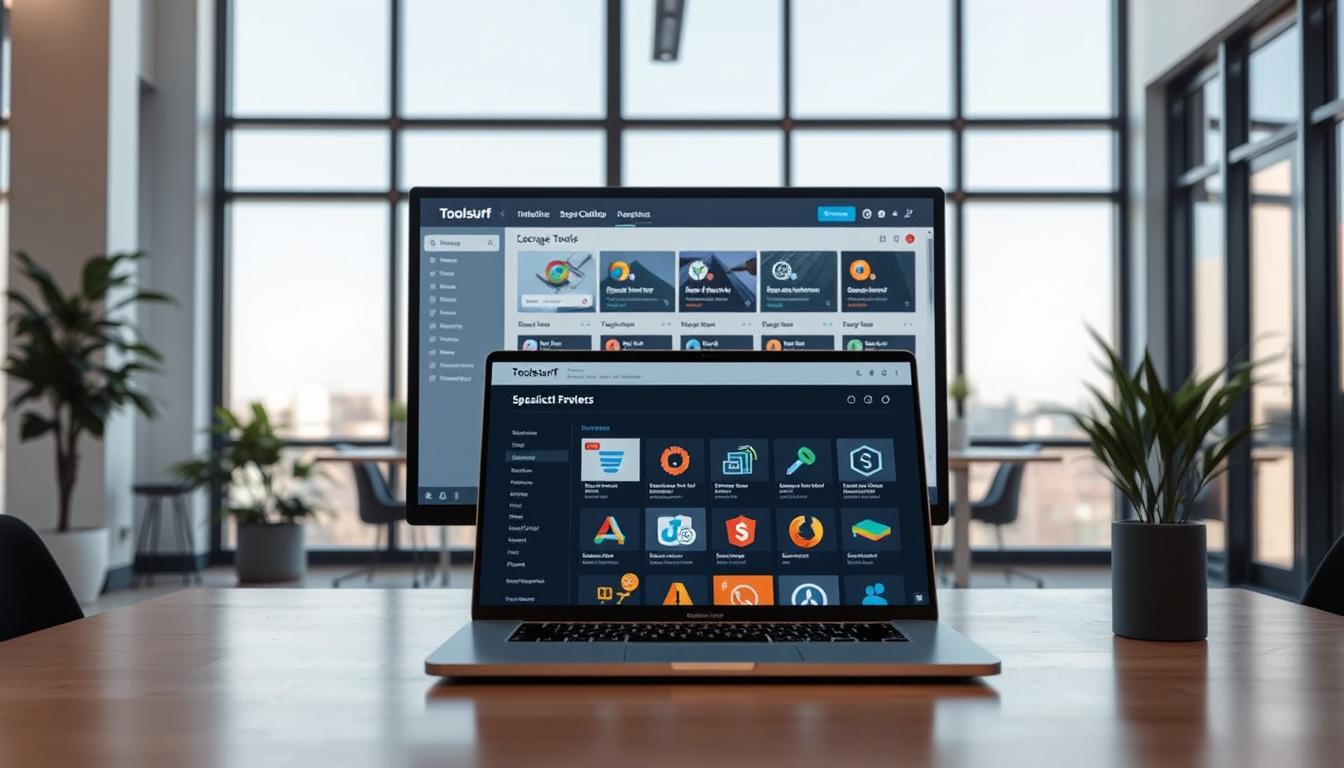
What the system offers: Toolsurf lists a broad range of tools across keyword, link, content, and creative workflows. The platform exposes major SEO tools such as Ahrefs, Semrush, Moz, KWFinder, BuzzSumo, and Helium10 for keyword and backlink research.
AI writing & content: Jasper AI, WordAI, StealthWriter AI, Originality.ai, Roundups.ai, and Peppertype AI are available to speed ideation, drafting, and originality checks.
Creative suites: Midjourney, Leonardo AI, InVideo Studio, Murf AI and other art, video, and audio tools let small teams produce visual and spoken content without separate subscriptions.
Pricing and plans: Toolsurf advertises $1/day single-tool trials, monthly access starting from $3/month, and tiered packages: Lite $19.99/mo, Agency $29.99/mo, and Enterprise $69.99/mo. These options aim to give flexible coverage for different workloads.
“Cloud dashboards can simplify access, but vendor enforcement still defines true availability.”
- Support: 24/7 support is promoted to reassure freelancers and agencies.
- Service range: Individual tool trials or bundled plans let users pick the right mix of services for each project.
- System realities: Despite cloud convenience, vendor bans may interrupt access; plan backups for mission-critical tasks.
Bottom line: Toolsurf offers a cost?friendly way to reach a wide range of tools and creative services through a centralized dashboard and around?the?clock support. For exploratory work and cross-channel content, the platform can deliver good value. For high-stakes, export-heavy projects, verify feature availability and have contingency plans.
Comparing access methods: originals, typical group buys, and Toolsurf’s cloud
Not all access paths are equal: direct vendor logins, remote desktops, browser helpers, and cloud portals each shape what teams can do and how fast.
User experience: instant access, browser extensions, dashboards
Original accounts give direct logins and full features. Support channels are official and predictable.
Typical shared setups often layer browser extensions or RDP windows. Extensions can auto-fill credentials and speed entry, but they add a single point of failure when vendors change flows.
Cloud dashboards like Toolsurf centralize many tools in one interface. They aim to remove RDP lag and make access smoother while still operating under shared constraints.
Fair usage policies and how they impact project throughput
Fair usage rules impose daily query caps, export limits, and throttles to manage concurrent sessions. These rules protect overall service but reduce throughput for heavy analyses.
RDPs add visual and input lag. That slows manual audits and increases the chance of timeouts during bulk work.
“Plan large exports for off-peak windows and split batch jobs to stay inside caps.”
- Accounts: shared systems often lack per-user accounts, so saved projects and personalization are limited.
- Support: originals escalate through vendor channels; resold services depend on organizer or platform support, which varies in speed.
- Features: some modules may be disabled to lower detection risk; expect gaps in APIs and bulk exports.
| Access method | Typical experience | Impact on projects |
|---|---|---|
| Original vendor account | Full features, direct support, clear SLAs | High throughput, reliable exports |
| Browser extension / proxy | Fast login, fragile if flows change | Good for spot checks, risky for bulk jobs |
| RDP / remote desktop | Works around IP limits, adds latency | Slower manual work, not ideal for visual audits |
| Cloud dashboard (Toolsurf) | Centralized access, optimized routing | Improved shared UX, still subject to caps |
Practical tip: schedule heavy exports off-peak, split large queries, and keep a licensed vendor account for mission-critical reports. Toolsurf’s cloud method improves the mediated experience, but originals still lead when you need unfettered throughput and formal support.
Alternatives to group buys when accuracy and compliance are critical
When compliance and repeatable reports matter, low-cost access paths quickly show their limits. There are practical alternatives that protect data, maintain audit trails, and keep cost in check. Use a mix of trials, freemium tools, and licensed partnerships to meet tight deadlines and client expectations.
Free trials, freemium stacks, and budget-focused rotation
Map high-priority research to trial windows. Export permitted data during that time and build a baseline dataset for immediate campaigns.
Combine free or low-cost tools into a freemium stack to replicate premium features for many day-to-day tasks. Expect some loss in depth or speed, but this approach saves cost while keeping work moving.
Rotate budgeted access: fund one critical tool for focused sprints, then switch tools as projects demand. This keeps monthly spend predictable and concentrates value where it matters most.
Hiring agencies to leverage licensed enterprise features
Partner with agencies that already hold licensed enterprise accounts. Agencies can run audits, pull bulk exports, and deliver vendor-backed reports without your team carrying full subscription costs.
Hybrid options work well too: keep one official subscription for core reporting and use trials or accredited services for secondary research.
- Advocate free trials: plan exports and capture essential datasets.
- Build freemium stacks: mix tools for broader coverage.
- Practice budget rotation: buy access by sprint, not month, when feasible.
- Explore agencies: tap licensed access and fast support.
“As your business matures, shift spend from ad-hoc access to official licenses to stabilize performance.”
Decide using clear criteria: legal exposure tolerance, required features (APIs, bulk exports), deadlines, and client expectations. These alternatives let most small businesses keep costs low while preserving compliance and reliable access.
Conclusion
Conclusion
Practical testing shows most low-cost services suit light research but strain under heavy exports.
Recap: shared access delivers budget-friendly entry to a wide range of tools, but it imposes limits that affect speed, features, and long-term data repeatability.
UI metrics often match originals for casual checks, yet export caps, throttling, and occasional bans reduce completeness for rigorous analysis.
Speed results: single queries stay responsive, while bulk jobs and peak windows slow down. Plan exports off-peak or accept longer timelines.
Legal and security notes: terms service prohibit broad account sharing and enforcement can cut access fast. Treat shared dashboards as semi-public and avoid saving sensitive client data.
Toolsurf offers a cloud-based alternative with instant, secure access, $1/day trials, plans from $3/month, and packages (Lite $19.99, Agency $29.99, Enterprise $69.99). Its 24/7 support and uptime aim to ease friction for freelancers, agencies, and enterprises seeking a friendlier shared experience.
Choose originals when compliance, uptime, and enterprise features matter. Consider a hybrid: keep one official account for core reporting and use trials or shared services for auxiliary research.
Next step: run a small test project, benchmark speed and data for your workflow, then adjust your mix to balance cost and risk.
FAQ
What does “Accuracy & Speed Test: Group Buy Tools vs Originals” cover?
This section compares fidelity and response times between shared access platforms and official vendor accounts. Tests focus on data parity, latency, export reliability, and real-world constraints that affect marketing decisions for small businesses and agencies.
What is meant by “search intent” and how does the phrase about shared access accuracy apply today?
Search intent describes what users want when they enter queries. When evaluating shared access accuracy, it means checking whether metrics—rankings, keyword difficulty, and content signals—reflect current intent and not outdated or throttled outputs from pooled accounts.
How do pooled access services differ from original vendor accounts?
Pooled services provide credential-sharing or cloud access to multiple users, often at lower cost. Originals give dedicated seats, official APIs, and support. The latter generally deliver clearer audit trails, guaranteed quotas, and stronger compliance for enterprise use.
How does cost-sharing and account sharing differ from official team seats?
Cost-sharing spreads subscription fees across many users and may limit simultaneous sessions. Official team seats come with role controls, usage caps per account, and vendor-backed SLAs that protect data integrity and continuity.
Why do pricing pressures push small businesses toward shared access services?
Tight budgets make expensive tools hard to justify. Shared access lowers the entry price, enabling startups and freelancers to run keyword research and backlink audits without full-priced subscriptions.
What is the test plan and methodology for accuracy and speed comparisons?
The plan uses standardized datasets, controlled environments, repeatable query sets, and time-windowed sampling. It records result variance, export completeness, and request timing under normal and peak loads.
Which data types are benchmarked?
Benchmarks include keyword lists and volumes, backlink profiles, SERP snapshots, content metrics like readability and word counts, and historical trend samples to test index depth and freshness.
What speed metrics are measured?
Tests track login latency, single-query response, batch export times, and performance during peak-hour traffic to reveal throttling or queuing behavior.
How is reliability evaluated?
Reliability checks monitor uptime windows, frequency of tool swaps, error rates, throttling events, and how often accounts face temporary restrictions or session drops.
How are environment controls enforced during tests?
Tests normalize IPs, device fingerprints, and time-of-day zoning. Consistent proxies, virtual machines, and local clocks ensure fair comparisons across platforms.
Where do shared accounts align or diverge from originals in data quality?
Shared accounts can mirror originals for basic keyword volume and rank checks. They often diverge on depth—fresh backlinks, historical crawls, and SERP-feature tracking may be incomplete or delayed.
How variable are keyword volumes and difficulty scores with shared access?
Variance depends on index refresh rates and query limits. Small deviations are common; larger gaps appear when exports or advanced filters are restricted, affecting strategy accuracy.
How do backlink indexes compare between providers?
Official tools tend to maintain deeper, more frequently updated backlink databases. Shared access layers may surface fewer links or omit recent discoveries due to API or export constraints.
Are there gaps in SERP feature tracking and competitor visibility?
Yes. Tracking rich results, snippets, and local packs requires frequent sampling and full-feature access. Limited sessions or disabled modules can hide competitor movements and emerging features.
How does shared access affect real-world latency?
Latency increases during peak usage due to session queuing, proxy routing, or cloud gateway hops. Single queries may be fine, but bulk operations often suffer noticeable slowdowns.
How do single-query and bulk operations behave under peak usage?
Single queries usually return quickly. Bulk exports can stall, time out, or be throttled, forcing smaller batches and longer project timelines for teams with tight deadlines.
What impact do proxies, VPNs, and cloud gateways have on response time?
They add routing overhead and potential packet loss. Secure tunnels and remote environments increase latency and can trigger provider defense mechanisms, slowing or blocking requests.
Which feature limitations most affect data accuracy?
API access caps, export restrictions, missing modules, and disabled project saves hinder comprehensive audits. Lack of scheduled reports or historical exports reduces repeatability and trust in results.
How can disabled modules skew workflows and analyses?
Missing keyword clustering, site audit, or rank-tracking modules forces manual workarounds. Analysts may rely on partial datasets, raising risk of wrong prioritization or missed opportunities.
How do uptime and reliability claims compare between originals and shared systems?
Vendors often advertise high uptime with support SLAs. Shared systems may have frequent churn, temporary bans, or organizer outages that interrupt ongoing projects and client commitments.
What about support responsiveness and issue resolution timelines?
Official vendors provide structured support and escalation paths. Shared access operators typically offer limited help; resolution can take longer or be absent, impacting time-sensitive campaigns.
What are the legal and ethical risks tied to account sharing?
Sharing credentials can violate terms of service, trigger bans, and expose businesses to contract breaches. Organizers and users may face account terminations and data loss, disrupting workflows and client trust.
What ethical considerations should agencies weigh?
Agencies need to balance short-term savings against client confidentiality, compliance, and professional responsibility. Licensed tools protect audit trails and data provenance that matter for reporting.
What security and privacy risks come with pooled access?
Risks include exposed search histories, saved projects visible to multiple users, credential leaks, and potential lateral access to stored client data or templates within shared environments.
Are malware, browser extensions, or remote environments a threat?
Yes. Unvetted extensions or remote desktops can introduce malware or keyloggers. Using reputable gateways and strict session isolation reduces exposure but doesn’t eliminate it.
Who benefits most from shared access, and who should avoid it?
Freelancers, bloggers, and tight-budget teams gain tool access at low cost. Agencies with compliance needs, enterprises, or teams requiring consistent auditability should stick with licensed seats.
When do savings outweigh trade-offs in a cost-benefit analysis?
Savings help for short-term projects or exploratory research. For client work requiring precision, timely data, and support, the cost of errors often exceeds subscription savings.
How should businesses allocate budget between tools and outsourcing?
Allocate based on frequency of use, data criticality, and compliance needs. Consider licensed enterprise features or hiring specialized agencies when accuracy drives revenue or legal obligations.
What does Toolsurf.com offer in terms of coverage and plans?
Toolsurf provides cloud-based access to major platforms like Ahrefs, Semrush, Moz, KWFinder, BuzzSumo, and Helium10, plus AI writing and creative suites. Plans start with
FAQ
What does “Accuracy & Speed Test: Group Buy Tools vs Originals” cover?
This section compares fidelity and response times between shared access platforms and official vendor accounts. Tests focus on data parity, latency, export reliability, and real-world constraints that affect marketing decisions for small businesses and agencies.
What is meant by “search intent” and how does the phrase about shared access accuracy apply today?
Search intent describes what users want when they enter queries. When evaluating shared access accuracy, it means checking whether metrics—rankings, keyword difficulty, and content signals—reflect current intent and not outdated or throttled outputs from pooled accounts.
How do pooled access services differ from original vendor accounts?
Pooled services provide credential-sharing or cloud access to multiple users, often at lower cost. Originals give dedicated seats, official APIs, and support. The latter generally deliver clearer audit trails, guaranteed quotas, and stronger compliance for enterprise use.
How does cost-sharing and account sharing differ from official team seats?
Cost-sharing spreads subscription fees across many users and may limit simultaneous sessions. Official team seats come with role controls, usage caps per account, and vendor-backed SLAs that protect data integrity and continuity.
Why do pricing pressures push small businesses toward shared access services?
Tight budgets make expensive tools hard to justify. Shared access lowers the entry price, enabling startups and freelancers to run keyword research and backlink audits without full-priced subscriptions.
What is the test plan and methodology for accuracy and speed comparisons?
The plan uses standardized datasets, controlled environments, repeatable query sets, and time-windowed sampling. It records result variance, export completeness, and request timing under normal and peak loads.
Which data types are benchmarked?
Benchmarks include keyword lists and volumes, backlink profiles, SERP snapshots, content metrics like readability and word counts, and historical trend samples to test index depth and freshness.
What speed metrics are measured?
Tests track login latency, single-query response, batch export times, and performance during peak-hour traffic to reveal throttling or queuing behavior.
How is reliability evaluated?
Reliability checks monitor uptime windows, frequency of tool swaps, error rates, throttling events, and how often accounts face temporary restrictions or session drops.
How are environment controls enforced during tests?
Tests normalize IPs, device fingerprints, and time-of-day zoning. Consistent proxies, virtual machines, and local clocks ensure fair comparisons across platforms.
Where do shared accounts align or diverge from originals in data quality?
Shared accounts can mirror originals for basic keyword volume and rank checks. They often diverge on depth—fresh backlinks, historical crawls, and SERP-feature tracking may be incomplete or delayed.
How variable are keyword volumes and difficulty scores with shared access?
Variance depends on index refresh rates and query limits. Small deviations are common; larger gaps appear when exports or advanced filters are restricted, affecting strategy accuracy.
How do backlink indexes compare between providers?
Official tools tend to maintain deeper, more frequently updated backlink databases. Shared access layers may surface fewer links or omit recent discoveries due to API or export constraints.
Are there gaps in SERP feature tracking and competitor visibility?
Yes. Tracking rich results, snippets, and local packs requires frequent sampling and full-feature access. Limited sessions or disabled modules can hide competitor movements and emerging features.
How does shared access affect real-world latency?
Latency increases during peak usage due to session queuing, proxy routing, or cloud gateway hops. Single queries may be fine, but bulk operations often suffer noticeable slowdowns.
How do single-query and bulk operations behave under peak usage?
Single queries usually return quickly. Bulk exports can stall, time out, or be throttled, forcing smaller batches and longer project timelines for teams with tight deadlines.
What impact do proxies, VPNs, and cloud gateways have on response time?
They add routing overhead and potential packet loss. Secure tunnels and remote environments increase latency and can trigger provider defense mechanisms, slowing or blocking requests.
Which feature limitations most affect data accuracy?
API access caps, export restrictions, missing modules, and disabled project saves hinder comprehensive audits. Lack of scheduled reports or historical exports reduces repeatability and trust in results.
How can disabled modules skew workflows and analyses?
Missing keyword clustering, site audit, or rank-tracking modules forces manual workarounds. Analysts may rely on partial datasets, raising risk of wrong prioritization or missed opportunities.
How do uptime and reliability claims compare between originals and shared systems?
Vendors often advertise high uptime with support SLAs. Shared systems may have frequent churn, temporary bans, or organizer outages that interrupt ongoing projects and client commitments.
What about support responsiveness and issue resolution timelines?
Official vendors provide structured support and escalation paths. Shared access operators typically offer limited help; resolution can take longer or be absent, impacting time-sensitive campaigns.
What are the legal and ethical risks tied to account sharing?
Sharing credentials can violate terms of service, trigger bans, and expose businesses to contract breaches. Organizers and users may face account terminations and data loss, disrupting workflows and client trust.
What ethical considerations should agencies weigh?
Agencies need to balance short-term savings against client confidentiality, compliance, and professional responsibility. Licensed tools protect audit trails and data provenance that matter for reporting.
What security and privacy risks come with pooled access?
Risks include exposed search histories, saved projects visible to multiple users, credential leaks, and potential lateral access to stored client data or templates within shared environments.
Are malware, browser extensions, or remote environments a threat?
Yes. Unvetted extensions or remote desktops can introduce malware or keyloggers. Using reputable gateways and strict session isolation reduces exposure but doesn’t eliminate it.
Who benefits most from shared access, and who should avoid it?
Freelancers, bloggers, and tight-budget teams gain tool access at low cost. Agencies with compliance needs, enterprises, or teams requiring consistent auditability should stick with licensed seats.
When do savings outweigh trade-offs in a cost-benefit analysis?
Savings help for short-term projects or exploratory research. For client work requiring precision, timely data, and support, the cost of errors often exceeds subscription savings.
How should businesses allocate budget between tools and outsourcing?
Allocate based on frequency of use, data criticality, and compliance needs. Consider licensed enterprise features or hiring specialized agencies when accuracy drives revenue or legal obligations.
What does Toolsurf.com offer in terms of coverage and plans?
Toolsurf provides cloud-based access to major platforms like Ahrefs, Semrush, Moz, KWFinder, BuzzSumo, and Helium10, plus AI writing and creative suites. Plans start with $1/day trials and tiers from $3/month to Enterprise pricing for broader needs.
Which AI writing and content tools are commonly included?
Popular options include Jasper AI and Originality.ai for drafting and plagiarism checks. These tools help teams scale content workflows, but licensed access ensures API stability and reporting features.
What creative suites are available for AI art, video, and audio?
Offerings often include Midjourney and Leonardo AI for visuals, InVideo Studio for video editing, and Murf AI for voice generation. Access models vary by license and export capability.
How do access methods compare: originals, typical shared services, and Toolsurf’s cloud?
Originals give dedicated accounts and full features. Typical shared services cut costs but limit sessions and exports. Cloud platforms like Toolsurf aim to balance instant access with managed environments and clearer usage policies.
How do fair usage policies affect project throughput?
Fair usage caps can limit concurrent queries, daily exports, or saved projects. Teams must plan batch schedules or upgrade plans to avoid throttling during campaign peaks.
What alternatives exist when accuracy and compliance are critical?
Consider free trials, freemium tools, rotating licensed stacks, or hiring an agency that already holds enterprise features. These options preserve data integrity while managing costs.
When should businesses hire agencies instead of subscribing to tools?
Hire agencies when you need expert analysis, access to enterprise features without long-term licenses, or when internal bandwidth and compliance requirements make in-house tooling impractical.
/day trials and tiers from /month to Enterprise pricing for broader needs.
Which AI writing and content tools are commonly included?
Popular options include Jasper AI and Originality.ai for drafting and plagiarism checks. These tools help teams scale content workflows, but licensed access ensures API stability and reporting features.
What creative suites are available for AI art, video, and audio?
Offerings often include Midjourney and Leonardo AI for visuals, InVideo Studio for video editing, and Murf AI for voice generation. Access models vary by license and export capability.
How do access methods compare: originals, typical shared services, and Toolsurf’s cloud?
Originals give dedicated accounts and full features. Typical shared services cut costs but limit sessions and exports. Cloud platforms like Toolsurf aim to balance instant access with managed environments and clearer usage policies.
How do fair usage policies affect project throughput?
Fair usage caps can limit concurrent queries, daily exports, or saved projects. Teams must plan batch schedules or upgrade plans to avoid throttling during campaign peaks.
What alternatives exist when accuracy and compliance are critical?
Consider free trials, freemium tools, rotating licensed stacks, or hiring an agency that already holds enterprise features. These options preserve data integrity while managing costs.
When should businesses hire agencies instead of subscribing to tools?
Hire agencies when you need expert analysis, access to enterprise features without long-term licenses, or when internal bandwidth and compliance requirements make in-house tooling impractical.